
At times it may be necessary to exempt a student from an assignment, due to a school-sanctioned event or other reason. Doing that in Ultra is simple! Just follow these easy steps.
From the Gradable Items View in Gradebook
- Navigate to your Blackboard Ultra course.
- Click Gradebook.

- Click Gradeable Items.

- Click on the name of the assignment.
- Click on the … next to the student’s grade that you need to exempt.
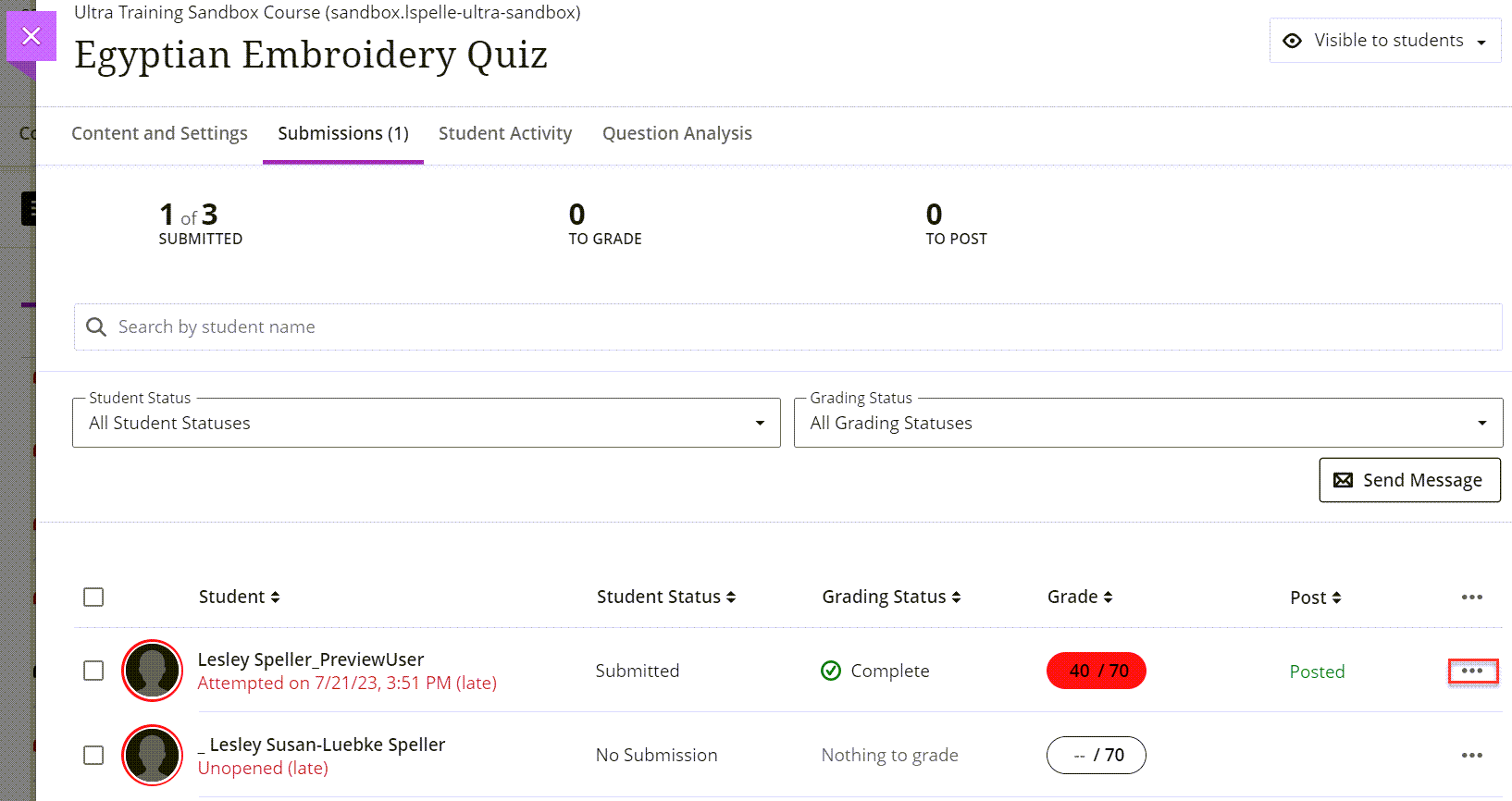
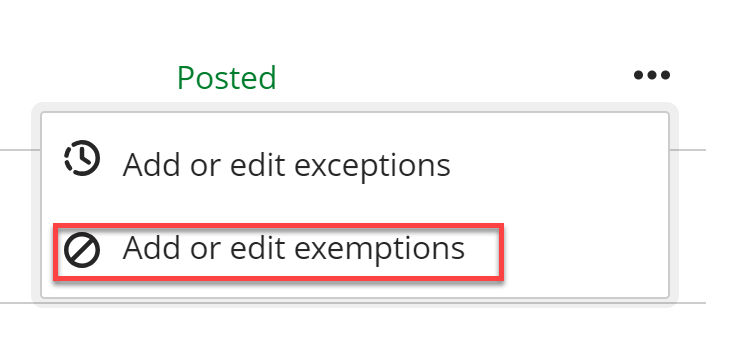
- Click Add or edit exemptions.
- Click on the box next to Exempt grade.
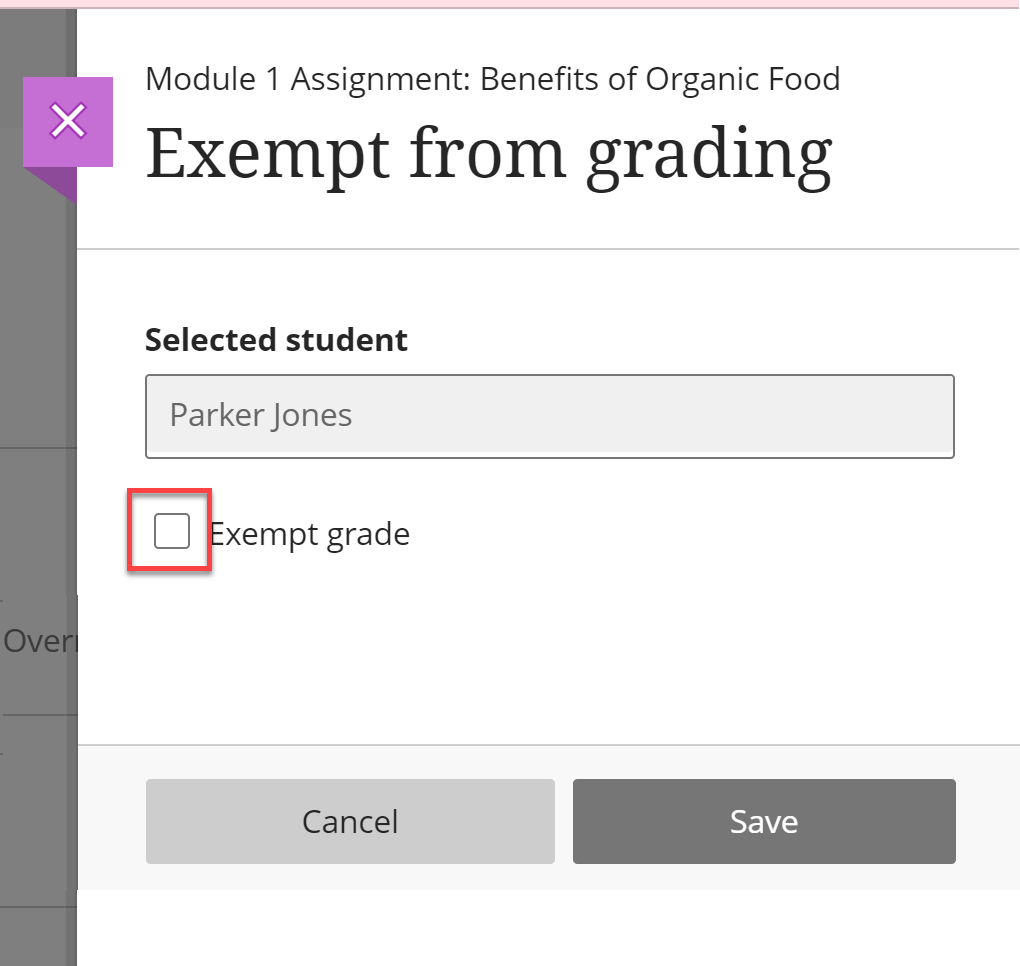
- Click Save.
From the Student View in the Gradebook
- Navigate to your Blackboard Ultra course.
- Click Gradebook.
- Click Students.

- Click the Dash that corresponds to the student’s grade in the assignment that you need to exempt.

- Click on Add or edit exemptions.

- Click on the box next to Exempt Grade.

- Click Save.
You have now exempted this student from this grade, and it will no longer be included in their grade calculations.